
On membership, people are advised to put each day, each week, otherwise month-to-month put limits
พฤศจิกายน 13, 2026Casino utan svensk licens 2026 Casino utan spelpaus
พฤศจิกายน 13, 2026
Mobile browsing makes it easy to compare official dragonia site information while you are away from a computer, but a convenient screen does not remove the need for careful checking. A responsive website, browser settings, account access and promotional conditions all affect the experience. For New Zealand adults considering online casino offers, the practical question is not simply whether a page opens on a phone. It is whether the site remains readable, secure and clear enough to support an informed decision before any account or payment action is taken.
What should a phone browser handle?
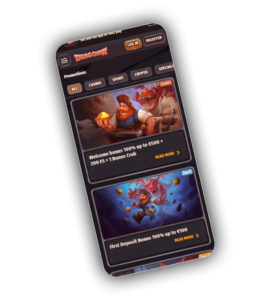
The mobile version uses a responsive website rather than requiring a confirmed native Android or iOS application. In practical terms, the page should adapt its layout to a smaller screen, with menus, game categories and account areas arranged for touch navigation. This can be useful when comparing promotional information or checking general site content without installing software from an app store.
Mobile access is described as covering casino games and account functions through a browser. However, a phone screen can compress important details, particularly terms displayed below a promotional headline. Before treating an online casino offer as suitable, expand the relevant conditions and read them in full. Look for qualifying deposits, claim steps, expiry periods, wagering requirements, game contribution rules and any restrictions affecting withdrawals.
A small display can also make it harder to distinguish a genuine navigation control from an advert or promotional tile. Scroll carefully and avoid tapping repeatedly if a page appears slow to respond. If the layout breaks, buttons overlap or text fails to load, switch to a larger device before making decisions. A technically accessible page is not necessarily comfortable or clear enough for reviewing detailed conditions.
How can browsing stay practical on a smaller screen?
The site recommends using the latest version of Google Chrome. Keeping the browser and phone operating system updated can improve compatibility, reduce display problems and provide current security protections. A stable connection is also helpful, especially when a page contains live content or several graphic elements. If loading becomes unreliable, close unused tabs and reopen the page rather than repeatedly submitting forms.
A browser shortcut can be added through the site’s Create Shortcut option. This creates a convenient device shortcut, but it should not be confused with a native mobile application. The shortcut simply helps you return to the website more quickly. Check the address shown after opening it, particularly if the shortcut has been created from a message, advert or unfamiliar page.
For regular browsing, consider using the phone’s normal privacy and security controls. Lock the device with a passcode or biometric setting, avoid saving passwords on a shared phone, and sign out when another person may use the device. Do not rely on a public Wi-Fi network for sensitive account activity unless you understand its risks. Convenience is valuable, but it should not override basic account protection.
Which details deserve a closer look on mobile?
Online casino offers often use short headlines that cannot show every qualification. On a phone, open the full offer page and inspect the wording before assuming that a displayed amount, spin allocation or reward applies automatically. The available New Zealand promotion includes specific activation and deposit conditions, while other campaigns may use different requirements. Treat each offer as separate rather than assuming that one set of rules applies across the promotions area.
Pay particular attention to timing. An offer may need to be claimed before a qualifying deposit is used, and rewards may be released in stages rather than all at once. A mobile interface may place progress information inside a profile or bonus area, so check where activation and tracking are handled. If the wording is unclear, pause and ask customer support instead of relying on a cropped banner or summary text.
Game and payment availability can depend on location, device, browser and software-provider restrictions. A title or payment option visible on a general page may not be available to every account. The cashier is the relevant place to check the methods, supported currency, limits and fees shown for a particular account. Never infer availability solely because an option appears in a mobile menu.
Are mobile offers secure enough to review?
Mobile browsing is not automatically unsafe, but phones are easily lost, shared or connected to unfamiliar networks. Use the official address entered directly into the browser or a trusted bookmark, and inspect the domain before entering credentials. Be cautious with messages that create urgency, promise an unusually large reward or ask for personal information outside the normal website process.
Protecting the device matters as much as protecting the account. Install operating-system updates, use screen locking and remove suspicious browser extensions or applications. Avoid taking screenshots that expose passwords, identity documents or payment details. If the browser stores sensitive information, review its autofill and password settings, especially when the phone is used by family members or colleagues.
New Zealand’s official online safety guidance provides broader advice about protecting devices, accounts and personal information. That guidance is not confirmation of any casino-specific feature or promotion, but its general security principles are useful when browsing financial or gambling-related services on a phone. If an account behaves unexpectedly, stop using it, change the password from a trusted device and contact the operator through its stated support channel.
When is a larger screen the better choice?
A phone is convenient for checking whether an offer exists, reviewing account messages or browsing categories briefly. It becomes less suitable when several conditions must be compared at once. A larger screen can show the headline, full terms, account information and support instructions together, reducing the chance that an important qualification is missed.
Use a computer or tablet when you need to read lengthy bonus rules, compare multiple campaigns, inspect transaction information or upload documents. Identity and address documents contain sensitive information, so a private, trusted device is preferable. Check that files are sent only through the operator’s stated secure process, and do not email documents to an address obtained from an unverified message.
The best approach is to use mobile access for convenience while reserving important decisions for a clearer environment. Before accepting an online casino offer, confirm the current terms, eligibility, activation method and time limits. Also check whether the offer can affect an existing promotion or withdrawal request. If the information remains difficult to understand on any device, do not proceed until support has provided a clear answer.
Mobile browsing questions
Does the mobile version require an app?
The available information describes a responsive website that works through a mobile browser, not a confirmed native Android or iOS application. A Create Shortcut option may place a browser shortcut on the device. That shortcut improves convenience but does not turn the website into a separately installed app.
Can every offer be understood from a phone?
Most offer information can be viewed on a phone, but small screens may hide qualifications behind expandable sections or require extensive scrolling. Read the complete terms before acting, including deposit, timing, wagering and withdrawal conditions. If text is unclear or truncated, use a larger screen or contact support.
What should happen if mobile pages do not work properly?
Check that the browser and operating system are current, then try a reliable connection and clear cached data if necessary. Avoid repeatedly submitting forms while a page is loading. If the issue continues, record the error without exposing personal information and contact support through the website’s stated channel.
